The Ultimate Guide to Mobile Gaming Controller Phone Mounts
, by Editorial Team, 6 min reading time
, by Editorial Team, 6 min reading time
Transform your smartphone into a portable console with a dedicated gaming controller phone mount. Discover how to eliminate wrist fatigue, improve your posture, and enjoy seamless cloud gaming anywhere. Learn to choose the perfect clip for your favorite gamepad and elevate your competitive edge today.
The landscape of interactive entertainment has shifted dramatically, transforming ordinary smartphones into powerful portable consoles. Cloud gaming services now allow players to stream high fidelity titles directly to their mobile devices, bypassing the need for bulky hardware. However, touchscreen controls often lack the precision and tactile feedback required for competitive play. This limitation has driven a surge in popularity for traditional gamepads paired directly with mobile devices. To bridge the physical gap between the screen and the gamepad, players utilize dedicated brackets that securely attach the smartphone to the controller. These specialized clips create a unified, handheld experience that rivals dedicated gaming systems, allowing enthusiasts to enjoy their favorite extensive titles from anywhere.
A major challenge players face when attaching a smartphone to a gamepad is the sudden shift in weight distribution. Modern smartphones are densely packed with large batteries and advanced camera arrays, making them surprisingly heavy. When this weight is suspended above and slightly behind the gamepad, it fundamentally alters the center of gravity. This awkward balance forces the player wrists to constantly fight against the backward tilt. Over extended play sessions, this continuous muscular tension leads to noticeable wrist fatigue and discomfort. Ignoring these ergonomic warning signs can turn an enjoyable hobby into a painful chore. Therefore, understanding the physics of your handheld setup is crucial for maintaining comfort and preventing long term strain during marathon cloud gaming sessions.
To combat the dreaded wrist fatigue, innovative accessory designers have developed advanced mounting solutions featuring multiple adjustable hinge points. Unlike rigid brackets that lock the device into a fixed, often uncomfortable position, adjustable designs allow players to customize the exact positioning of their screen. By tilting the smartphone forward and hovering it directly over the gamepad face buttons, the center of gravity is shifted back toward the player hands. This strategic realignment significantly reduces the leverage exerted on the wrists, making the combined device feel much lighter and more balanced. Furthermore, these adjustable joints enable users to find the perfect viewing angle, minimizing screen glare and reducing neck strain. Investing in a highly adjustable mount is arguably the most impactful upgrade for any serious mobile gamer prioritizing physical comfort.
When selecting the ideal bracket for your mobile setup, several critical features demand your attention. Primarily, the gripping mechanism must be robust enough to hold the smartphone securely, even during intense, action packed moments. Look for spring loaded clamps with deep channels that can accommodate thick protective cases. Additionally, the mechanism that attaches to the gamepad itself must offer a snug, exact fit. A loose connection will cause the screen to wobble, instantly breaking immersion and frustrating the player. Another vital aspect is the inclusion of soft, rubberized padding on all contact points. This padding serves a double purpose: it increases friction to prevent the device from slipping, and it acts as a soft barrier that protects both the delicate smartphone screen and the textured plastic of the gamepad from unsightly scratches.
The gaming accessory market is flooded with various mounting clips, but they are rarely universally compatible. Gamepads from different manufacturers boast unique shapes, contoured grips, and distinct button layouts. A clip designed specifically for an Xbox controller will likely fail to attach securely to a PlayStation controller due to differences in the central chassis design. Before making a selection, players must verify that the bracket is explicitly molded for their specific gamepad model. Trying to force an incompatible clip onto a controller can cause permanent damage to the plastic housing or interfere with essential buttons and triggers. Meticulous attention to compatibility ensures a seamless integration, allowing the player to focus entirely on the game rather than struggling with ill fitting hardware.
Intense gaming sessions streamed over cellular or wireless networks drain smartphone batteries at an astonishing rate. To sustain long periods of play, gamers often need to keep their devices plugged into external power banks or wall adapters. An intelligently designed controller mount will account for this necessity by providing adequate clearance for charging cables. Poorly designed clips might block the charging port or force the cable into sharp, damaging bends. Furthermore, players utilizing wired headphones require unhindered access to audio jacks. Superior mounts feature thoughtful cutouts and open designs that allow cables to route cleanly away from the player hands, ensuring that managing power and audio does not interfere with reaching the triggers or manipulating the analog sticks.
While attaching the screen directly to the gamepad offers the ultimate portable experience, it is not always the optimal solution for every environment. When playing at a desk or sitting at a table, suspending the phone in the air is unnecessary. In these scenarios, utilizing a dedicated desk stand provides a fantastic alternative. By resting the device on a stable surface, players completely eliminate all wrist fatigue associated with supporting the device weight. This setup mimics a miniature television console experience, allowing the player to hold the lightweight gamepad comfortably in their lap. Exploring different mounting accessories, including versatile desk stands, empowers gamers to adapt their setup to their immediate surroundings, maximizing comfort whether commuting on a train or relaxing in a hotel room.
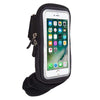
The appeal of mobile gaming lies in its inherent portability, which inevitably means transporting equipment between locations. Throwing a loose gamepad and a delicate mounting clip into a backpack is a recipe for disaster. Analog sticks are notoriously fragile and can easily suffer from drift if crushed under heavy items. To safeguard your investment, utilizing protective pouches and carrying cases is absolutely essential. Specialized armbands and travel bags provide a secure, cushioned environment for your gear. By keeping the controller, the mount, and necessary charging cables neatly organized and protected from impacts, you ensure that your competitive edge remains intact no matter where your travels take you. Proper storage is just as crucial as the hardware itself for maintaining a reliable mobile setup.
Transitioning into the world of high end mobile gaming requires more than just a powerful smartphone and a fast internet connection; it demands thoughtful consideration of physical hardware accessories. A high quality controller mount bridges the gap between touch screens and tactile precision, but choosing the right mount is paramount for comfort and performance. By prioritizing ergonomic multiple hinge designs, ensuring strict compatibility with your preferred gamepad, and investing in protective travel gear, players can curate an unparalleled portable gaming experience. Say goodbye to awkward touch controls and debilitating wrist fatigue. Embrace the future of entertainment on the go by outfitting your smartphone with the premium accessories it deserves, transforming every waiting room and long commute into an opportunity for an epic adventure.