The Complete Guide to Filming Stable Videos with Phone Tripods and Mounts
, by Editorial Team, 8 min reading time
, by Editorial Team, 8 min reading time
Discover the art of capturing smooth, professional footage using phone tripods, selfie sticks, and alternative mounts. Learn how to eliminate micro-jitters, optimize your camera settings, and choose the perfect stabilization gear to instantly elevate the quality of your mobile videography and vlogging projects.
Have you ever captured what you thought was the perfect video, only to play it back and realize it is unwatchably shaky? You are certainly not alone. With modern smartphones boasting incredible lenses, large sensors, and advanced software, the only thing standing between you and professional-grade footage is absolute stability. The art of filming stable videos with the right phone mount transforms amateur, dizzying clips into smooth, cinematic stories. Whether you are vlogging your daily life for social media, filming instructional tutorials for your audience, or recording an outdoor adventure, keeping your camera steady is the most critical element of modern videography.
While built-in electronic and optical image stabilization features found in flagship phones are incredibly helpful, they cannot completely compensate for significant movement or heavy footsteps. This is exactly where dedicated mounts like tripods and selfie sticks come into play. Understanding how to leverage these physical stabilization tools effectively will elevate your content, maintain your viewer's focus, and keep your audience engaged without causing motion sickness. A stable shot communicates professionalism and intent, allowing your subject matter to shine without the distraction of a trembling frame.
The ongoing debate between using a phone tripod and a selfie stick often confuses new content creators who are just building their gear kits. These mounts aim to improve your shooting experience, but they serve distinct purposes and excel in entirely different environments. Choosing the right mount depends entirely on your specific filming style, your subject matter, and the amount of physical movement involved in your shot. Understanding their strengths and weaknesses is the initial step toward better videography.
A selfie stick is explicitly designed for mobility, speed, and convenience. It is the perfect tool for dynamic walking-and-talking vlogs, capturing wide background landscapes behind you, and navigating through crowded events or narrow spaces where setting up a stationary tripod is impossible. By extending the distance between your body and your phone camera, a selfie stick provides a much wider field of view, ensuring you, your friends, and your surroundings fit perfectly in the frame without awkward cropping.
However, it is important to acknowledge their limitations. The further the extension of the stick, the heavier your phone feels at the end of that lever. This increased weight can quickly introduce arm fatigue and subtle, rhythmic shakes into your video. While fantastic for dynamic, on-the-go action shots, traditional handheld selfie sticks struggle significantly when you need absolute stillness, such as during low-light recording, product showcases, or time-lapse captures. For these scenarios, you need something anchored to the ground.
A phone tripod is the ultimate, time-tested solution for static, wobble-free video production. When your camera needs to stay completely locked in a stationary position, a high-quality tripod is absolutely unmatched. It is the ideal companion for stationary vlogging, sit-down interviews, overhead desk tutorials, and long-exposure photography. Tripods come in various form factors, ranging from compact desktop mini-tripods for indoor use to full-size adjustable models for eye-level framing, and even flexible tripods with bendable legs that can wrap securely around tree branches or metal railings.
The primary advantage of a tripod is hands-free, isolated stability. It completely eliminates the unpredictable human element of camera shake. However, tripods naturally require a relatively flat or manageable surface to stand on, and they are inherently less mobile than handheld sticks. For creators who desperately need maximum versatility, hybrid models—often called combo selfie stick tripods—offer a versatile compromise. These feature handles that unfold into small legs. Keep in mind, though, that they often sacrifice some structural stability when fully extended due to their much narrower base footprint.
You might reasonably think that simply attaching your phone securely to a tripod guarantees perfectly smooth footage every time. Unfortunately, many creators are incredibly frustrated to find micro-jitters ruining their best clips during the editing process. Camera stability is far more complex than just putting your phone on a metal stand. Various subtle environmental and mechanical factors can introduce unwanted motion into your frame.
Tripods endure a significant amount of wear and tear throughout their lifespan. They are constantly folded, tossed hastily into backpacks, and endlessly adjusted for the perfect angle. Over time, the internal joints, telescopic leg locks, and quick-release plates can become surprisingly loose. If the tripod head drifts slightly or the leg clasps are not securely locked down, your phone will inevitably shift during recording. Even a microscopic movement at the mounting point translates to a highly noticeable, distracting shake in the final high-definition video.
Furthermore, the physical surface you place your tripod on plays a massive role in overall stability. Soft ground, damp grassy fields, or uneven gravel paths can cause the tripod legs to settle or sink unevenly while you are actively filming. Always ensure your tripod is positioned on solid, compressed ground. It is vital to routinely check all locking mechanisms and tighten any loose screws before you press the record button.
A common and easily avoidable mistake is physically tapping the phone screen to start recording or adjust the focus point while the phone is already mounted on the tripod. This physical touch introduces an immediate, violent vibration into the setup, which can take a moment to fully dissipate. In windy outdoor conditions, a lightweight phone tripod can also catch the breeze like a sail, especially if the phone features a large, flat surface area or is wrapped in a heavy protective case.
Additionally, if you are walking heavily near a tripod that is placed on a wooden floor, a deck, or a suspended bridge, the kinetic shockwaves from your footsteps can easily travel up the tripod legs and severely shake the camera. To prevent these frustrating micro-jitters, avoid extending the center column or the telescopic legs to their absolute maximum limit, as this artificially raises the center of gravity and significantly reduces the overall structural stability.
Mastering the nuanced art of stable video requires much more than just buying the most expensive mount on the market; it requires proper technique, patience, and keen environmental awareness. By strategically combining the right gear with smart, tested filming practices, you can ensure every clip is as smooth and professional as possible.
To completely eliminate touch-induced camera shake, you should always use a wireless Bluetooth remote control to start and stop your recordings. If you do not currently have a remote, simply set a brief timer on your camera application so the physical vibrations from your initial tap have time to settle before the actual video begins capturing. If you are forced to shoot outdoors on a blustery, windy day, keep your tripod legs as short and spread as wide as possible to drastically lower the center of gravity.
For those using combo selfie stick tripods, never fully extend the stick while resting it on its small, fragile feet outdoors. It becomes extremely top-heavy and is highly prone to tipping over and damaging your device. You can also add crucial stability to a lightweight travel tripod by hanging a small weight, your backpack, or a dedicated sandbag from its center column hook. Finally, always remember to lock your phone's focus and exposure settings. Constant software autofocus hunting can create a visually jarring, pulsing effect that closely mimics mechanical camera shake, deeply distracting your viewers from your intended message.
While traditional tripods and handheld selfie sticks completely dominate the standard vlogging world, they are not always safe or practical for intense physical activities, outdoor sports, or rapid movement. If you are aggressively running, cycling through trails, or working out at the gym, safely holding a stick or setting up a stationary tripod is virtually impossible. In these high-action scenarios, alternative wearable mounts become absolutely essential for capturing stable, hands-free video without risking your equipment.
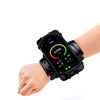
For example, high-quality sports armbands specifically designed for running can be cleverly repurposed to securely hold your phone tightly against your body while recording forward-facing action. While they are traditionally utilized for tracking workout metrics or listening to motivational music, a firmly strapped forearm or bicep band keeps your heavy device anchored securely against your body's natural, muscular shock absorbers. This strategic placement prevents the erratic, wild swinging associated with simply holding a phone in your bare hand while jogging. By thoughtfully choosing the right mount for the exact activity—whether it is a heavy-duty, robust tripod for a quiet studio interview or a secure, form-fitting armband for an active, on-the-go lifestyle—you guarantee that your video footage remains beautifully smooth, captivatingly engaging, and undeniably professional.